Pool City - 3D Billiards Pool1.2.3
Publisher Description

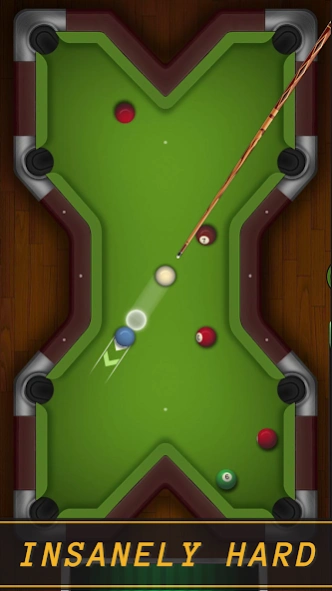


An 8 Ball Pool Game Cue Up for Fun! Strike & Pocket Similar to Carrom Board Game
🎱 Welcome to Pool City – The Ultimate 3D Billiards Pool Experience!
Dive into Pool City: 3D Billiards Pool, the most exciting way to enjoy realistic 8 ball action on your mobile. Whether you want quick matches, practice drills, or fierce tournaments, this game delivers silky-smooth gameplay, gorgeous 3D visuals, and addictive challenges.
🔥 Features You’ll Love
True 3D Billiards Physics – Experience realistic spins, rebounds, and cue control.
City-Inspired Tables – Play on vibrant, neon-lit billiards arenas across Pool City.
Multiple Game Modes – 8 Ball, 9 Ball, Snooker, Trick Shots, and more.
Offline & Online Multiplayer – Play solo, with friends, or challenge players worldwide.
Customizable Cues & Tables – Upgrade your gear to match your style.
Daily Challenges & Rewards – Earn coins, unlock cues, and climb leaderboards.
🎯 Why Choose Pool City?
Our advanced 3D physics engine makes every shot feel just like real billiards. Whether you’re sinking solids or stripes, every match is smooth, fast, and deeply satisfying.
Check out Pool City: 3D Billiards Pool now and master the art of the perfect shot — anytime, anywhere, even without internet. Chalk your cue, take aim, and become the king of the pool hall!
Privacy Policy: https://gamingolabs.com/privacy-policy/
Contact: contact@gamingolabs.com
About Pool City - 3D Billiards Pool
The company that develops Pool City - 3D Billiards Pool is Gamingo Labs. The latest version released by its developer is 1.2.3.
To install Pool City - 3D Billiards Pool on your Android device, just click the green Continue To App button above to start the installation process. The app is listed on our website since 2025-10-16 and was downloaded 0 times. We have already checked if the download link is safe, however for your own protection we recommend that you scan the downloaded app with your antivirus. Your antivirus may detect the Pool City - 3D Billiards Pool as malware as malware if the download link to com.ggo.billiards.city.pool is broken.
How to install Pool City - 3D Billiards Pool on your Android device:
- Click on the Continue To App button on our website. This will redirect you to Google Play.
- Once the Pool City - 3D Billiards Pool is shown in the Google Play listing of your Android device, you can start its download and installation. Tap on the Install button located below the search bar and to the right of the app icon.
- A pop-up window with the permissions required by Pool City - 3D Billiards Pool will be shown. Click on Accept to continue the process.
- Pool City - 3D Billiards Pool will be downloaded onto your device, displaying a progress. Once the download completes, the installation will start and you'll get a notification after the installation is finished.
Program Details
System requirements
Download information
Pricing
Version History
version 1.2.3
posted on 2025-10-16
Security Update
version 1.2.1
posted on 2025-08-15
version
posted on 2023-08-26
- General Fixes
